Difference between revisions of "Category:Retextures OXPs"
(Created page with 'Retextures OXPs retexture existing objects, either by replacing or adding variations, but without adding objects that did not exist before.') |
Cholmondely (talk | contribs) (Added more detail) |
||
| (11 intermediate revisions by 3 users not shown) | |||
| Line 1: | Line 1: | ||
| − | Retextures OXPs retexture existing objects, either by replacing or adding variations, but without adding objects that did not exist before. | + | == Overview == |
| + | Retextures OXPs retexture existing objects, either by replacing or adding variations, but without adding objects that did not exist before. Follow the instructions on [[installing multiple retexture OXPs]] if you want to mix them. | ||
| + | |||
| + | '''Note that many of these "Retexture OXPs" are actually new ''models''!''' | ||
| + | |||
| + | Note that [https://bb.oolite.space/viewtopic.php?f=4&t=21004 this BB thread] contains many more textures - but not in .oxp format (you need to know how to tweak!) | ||
| + | |||
| + | === Griff's Expansions Manager "Retextures" === | ||
| + | These OXPs (Griff Cobra MkIII, Griff Thargoids etc.) are rather more than just high-poly ship retextures. They include special effects for entering combat, being damaged, ''etc''. | ||
| + | |||
| + | == Example: some different models - and different retextures of those models for the Cobra Mk.3 == | ||
| + | <gallery widths="200px" heights="200px"> | ||
| + | File:Elite-cobra3.png|Model: Classic Elite's Cobra Mk.3 | ||
| + | File:Cobra3.gif |Model: Frontier's Cobra Mk.3 | ||
| + | File:Cobra3a-oolite.png |Model: 2006 Oolite's Cobra Mk.3 | ||
| + | File:ClassicCobra3-A.png|Retexture: Smiv's Classics | ||
| + | File:IA_cobramk3.jpg |Retexture: Iron Ass Cobra Mk.III | ||
| + | File:Deepspace Cobra mk3.jpg|Retexture: Deepspace | ||
| + | File:Neolite cobra mk3.jpg|Model: Neolite | ||
| + | File:RX Cobra MkIII.png |Model: RXSoftware | ||
| + | File:Beatniks shipset pic 002.png|Model & HUD: Captain Beatnik | ||
| + | File:Cobra3.png|thumb |Model: 2014 Oolite's Cobra Mk.3 | ||
| + | File:Cobra3wNormal+SpecGloss01.png |Retexture: Oolite v1.88 Base Shipset Normal and Specular/Gloss Maps | ||
| + | File:Griff-specgloss-cobra3.jpg |Model: Griff's SpecGloss Cobra Mk3 | ||
| + | File:Trade-Factor-Animation.gif |Model: Griff's SpecGloss Sidewinder | ||
| + | File:Quirium Cascade Mine Facelift.png |Retexture: Quirium Cascade Mine Facelift | ||
| + | File:SimonB's ÜberTharg.png |Model: UberTharg | ||
| + | |||
| + | </gallery> | ||
| + | |||
| + | == Links == | ||
| + | *[[OXP howto texture]] - DIY guide | ||
| + | *[[RELOP and PROHIP]] - Murgh's musings on ship-design aesthetics | ||
| + | *[[Viewscreen vs Window debate]] - What do our ships actually have? | ||
| + | |||
| + | [[Category:Oolite expansion packs]] [[Category:OXP Lists]] | ||
Latest revision as of 13:05, 23 August 2026
Contents
Overview
Retextures OXPs retexture existing objects, either by replacing or adding variations, but without adding objects that did not exist before. Follow the instructions on installing multiple retexture OXPs if you want to mix them.
Note that many of these "Retexture OXPs" are actually new models!
Note that this BB thread contains many more textures - but not in .oxp format (you need to know how to tweak!)
Griff's Expansions Manager "Retextures"
These OXPs (Griff Cobra MkIII, Griff Thargoids etc.) are rather more than just high-poly ship retextures. They include special effects for entering combat, being damaged, etc.
Example: some different models - and different retextures of those models for the Cobra Mk.3
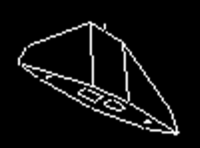
Model: Classic Elite's Cobra Mk.3
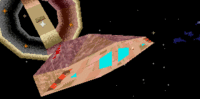
Model: Frontier's Cobra Mk.3
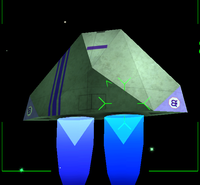
Model: 2006 Oolite's Cobra Mk.3
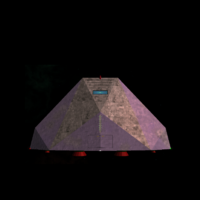
Retexture: Smiv's Classics

Retexture: Iron Ass Cobra Mk.III
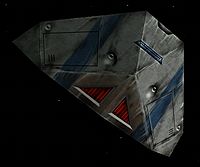
Retexture: Deepspace
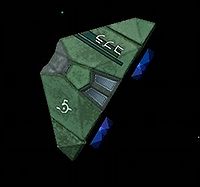
Model: Neolite
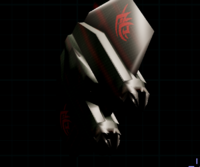
Model: RXSoftware
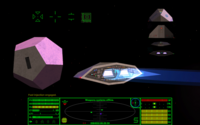
Model & HUD: Captain Beatnik
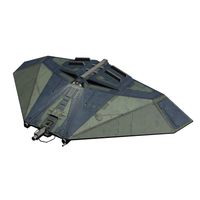
Model: 2014 Oolite's Cobra Mk.3
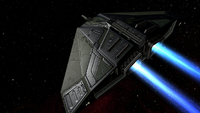
Retexture: Oolite v1.88 Base Shipset Normal and Specular/Gloss Maps
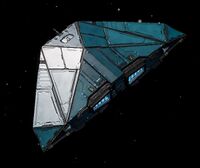
Model: Griff's SpecGloss Cobra Mk3
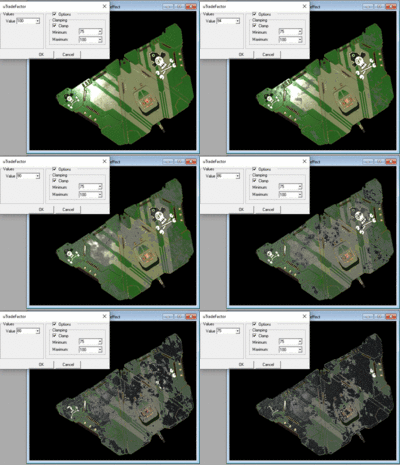
Model: Griff's SpecGloss Sidewinder
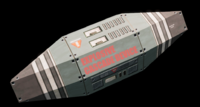
Retexture: Quirium Cascade Mine Facelift

Model: UberTharg


Links
- OXP howto texture - DIY guide
- RELOP and PROHIP - Murgh's musings on ship-design aesthetics
- Viewscreen vs Window debate - What do our ships actually have?
Pages in category "Retextures OXPs"
The following 58 pages are in this category, out of 58 total.
G
N
- Neolite Ships
- No Shaders alternate or extra ships and accessories
- Normal and Specular+Gloss Maps for Oolite v1.88+
- Noshader chunky exploding asteroids
- Noshader extra station resources
- Noshader fullsize station textures
- Noshader Griff's accessories replace
- Noshader Griff's alternate stations
- Noshader Griff's missing coreships
- Noshader Mimoriarty's Radical Logistics ships
- Noshader stations for sfep
- Noshader Z GrOovy Variety Packs

